


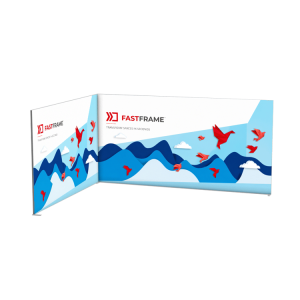

Choose your frames. Plan your space. Refresh your graphics.
FastFrame Modular Exhibition Displays: Your Buying and Planning Guide
A successful exhibition display needs to suit your space, present your message clearly and be practical to use again. FastFrame combines folding aluminium frames with tensioned fabric graphics, giving you a starting point for anything from a branded backdrop to a complete modular exhibition stand.
This guide explains the differences between standard panels and LED lightboxes, how to choose a stand layout, and what to consider when ordering graphics, connectors and accessories.
Which FastFrame Display Should You Choose?
Individual standard frames
Choose these for non-illuminated backdrops, larger graphic walls or additions to an existing standard FastFrame system. Select the dimensions and support components for your layout.
LED lightboxes
Choose these when you want light to shine through your printed graphic. Use a lightbox as a standalone feature or incorporate it into a compatible modular arrangement.
Complete stand layouts
Choose a pre-configured package when you know your booked stand footprint. Compare the wall options and product inclusions before selecting the arrangement you need.
| Feature | Standard FastFrame | FastFrame LED Lightbox |
|---|---|---|
| Frame profile | 40mm aluminium profile | 80mm aluminium profile |
| Printed fabric | Black-backed blockout fabric | Light-transmitting backlit fabric |
| Lighting | Non-illuminated | Integrated LEDs; mains power required |
| Graphic arrangement | Individual panels or continuous graphics across suitable connected layouts | A separate graphic on each lightbox face |
| Accessories | Connectors, feet and display accessories selected for the configuration | Selected compatible connectors and feet; accessory restrictions apply |
| Typical use | Backwalls, presentation areas and modular stand structures | Illuminated branding and feature panels |
The foundation of your display
Standard FastFrame Display Panels
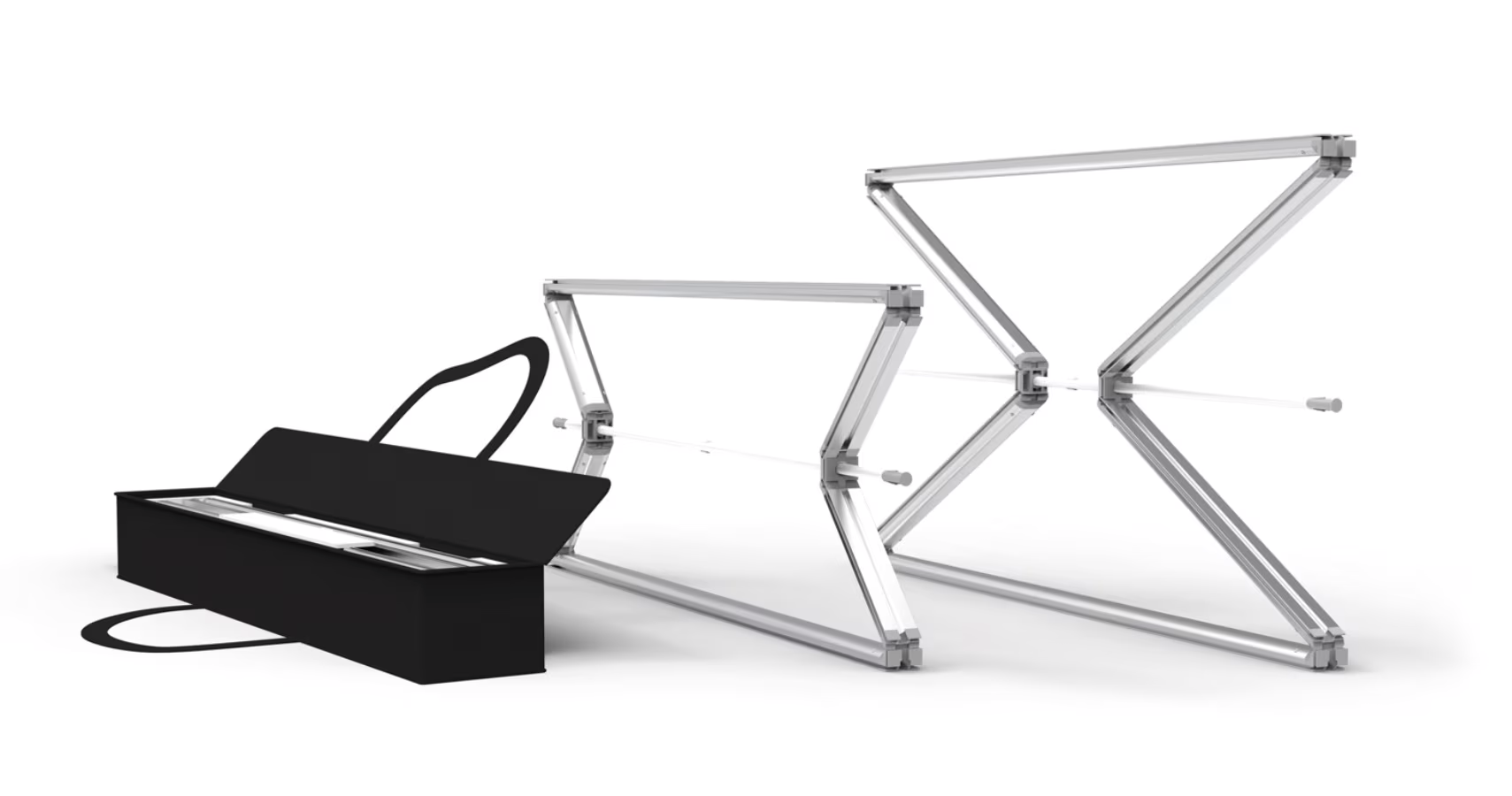
Standard frames provide a slim structure for printed fabric graphics. Use a suitably supported panel on its own or connect compatible frames to create a larger display.
Printdesigns produces standard FastFrame graphics in-house using black-backed blockout fabric. The opaque backing helps prevent objects behind your display from showing through the artwork.
Start by choosing the height, then select the panel widths needed for your arrangement. Smaller frames can be used in planned header and infill sections; their support requirements depend on how they are incorporated into the stand.
| Height | Available widths | Planning consideration |
|---|---|---|
| 2000mm | 950mm and 1000mm | Consider for backdrops and layouts using 2m-high panels. |
| 2400mm | 950mm, 1000mm and 1200mm | Offers three panel widths for planning taller graphic walls. |
| 2500mm | 950mm and 1000mm | Check venue clearance before choosing the tallest standard panels. |
| 1000mm | 1000mm | A smaller square panel for suitable modular arrangements. |
| 500mm | 1000mm | A shallow panel for suitable header or infill arrangements. |
View the standard 1000 × 2000mm FastFrame display for an example of the available product and printing options.
Add illuminated branding
FastFrame LED Lightboxes
FastFrame LED lightboxes combine an 80mm aluminium frame with integrated lighting and backlit fabric graphics. The folding construction, pivoting support feet and wheeled carry bag make them practical for repeated event use.
Choose a single-sided graphic with an opaque rear panel, or double-sided printing where visitors will see both faces. All three sizes require mains power and are intended for indoor use in dry locations.
Select the nominal height to suit your display and check the assembled dimensions on the product page against your venue clearance and available floor space.
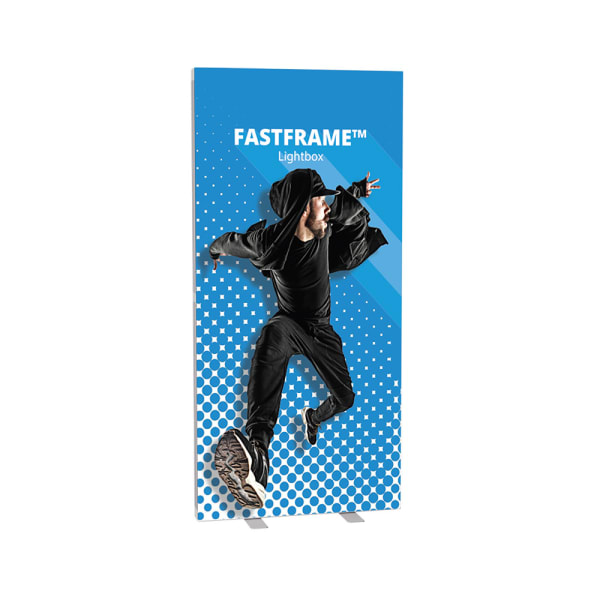
Planning a continuous illuminated wall? Each FastFrame LED lightbox uses its own graphic on each face, including when units are connected. Contact us if your design requires one uninterrupted illuminated print across a wider area.
Start with your booked exhibition space
Complete FastFrame Exhibition Stand Layouts
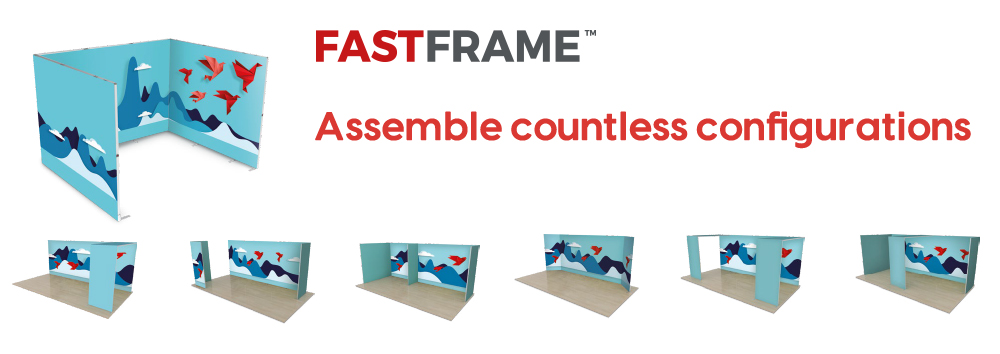
Our pre-configured stands provide a starting point for customers who already know their exhibition footprint. Select the appropriate size, then review the wall configuration and print options on the product page.
Straight backwall
A branded rear wall leaves the front and sides accessible. Consider this for open stands, presentation backdrops and promotional areas.
L-shaped stand
A backwall and side wall define a corner space while retaining access from two sides. Check that the side wall matches your stand orientation.
U-shaped stand
A backwall and two side walls create a more enclosed space with access from the front. Allow room for visitors, furniture and demonstrations.
| Stand width | Available footprints |
|---|---|
| 2 metres | 2m × 2m |
| 3 metres | 3m × 2m and 3m × 3m |
| 4 metres | 4m × 2m, 4m × 3m and 4m × 4m |
| 5 metres | 5m × 2m, 5m × 3m and 5m × 4m |
| 6 metres | 6m × 2m, 6m × 3m and 6m × 4m |
Explore the 3m × 2m exhibition stand or 3m × 3m exhibition stand to compare typical configurations. Check the selected package contents for the supplied frames, graphics, connectors and feet, and whether any pictured accessories are optional.
How to Plan Your FastFrame Stand
Before choosing panels, work from your organiser’s stand plan and think about how people will enter and use the space.
- Confirm the usable dimensions. Record the available width, depth and height, including any restrictions caused by shell scheme posts, beams or services.
- Identify the open sides. Mark the backwall, neighbouring stands and visitor entrances so the wall arrangement suits your position in the hall.
- Choose a consistent panel height. Check overall assembled dimensions rather than relying only on the nominal size in a product name.
- Allow for support feet and furniture. Frame profile depth is not the same as the total floor space occupied by a supported display. Leave room for counters, seating, visitors and any doors.
- Plan graphics and power together. Decide which faces visitors will see, where the main message should sit and where power will reach any LED lightboxes.
- Confirm the complete component list. Check frames, graphics, connectors, feet and accessories before ordering, particularly when adding to equipment you already own.
Using FastFrame inside a shell scheme? A nominal 3m × 3m booking does not necessarily provide 3000mm of clear space between the posts. Send us the organiser’s plan and internal measurements so we can advise on a suitable arrangement.
Refresh the message, retain the hardware
Fabric Graphics, Artwork and Replacement Prints
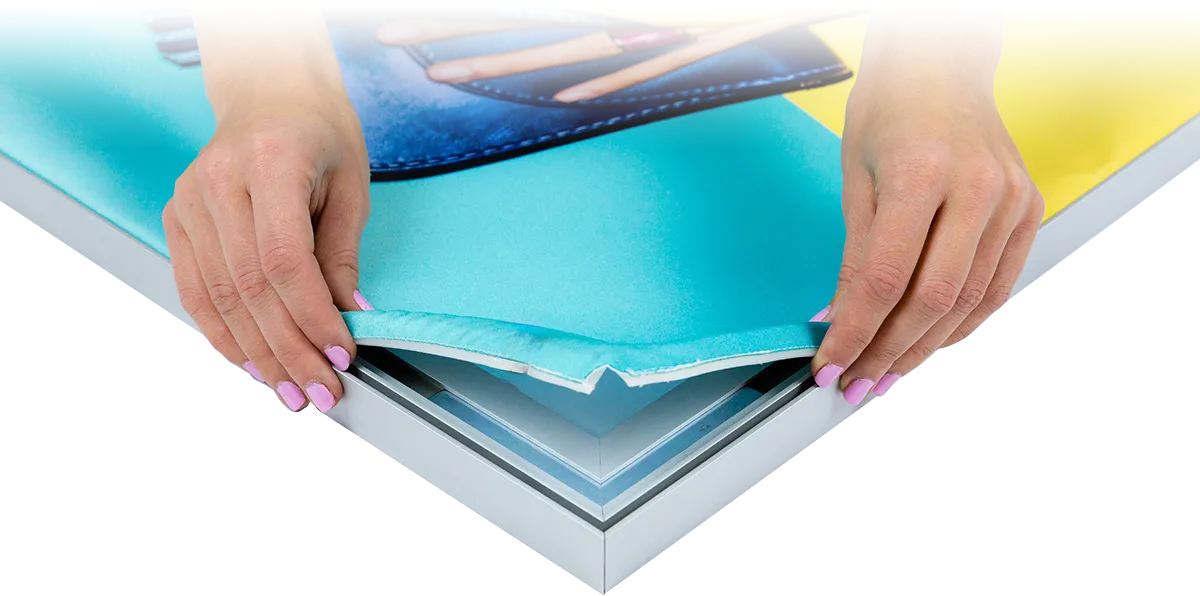
SEG means silicone-edge graphic. A flexible silicone strip is stitched around the fabric and pushed into the frame channel, holding the print under tension.
Standard panels use blockout graphics, while illuminated faces need backlit fabric. These materials perform different jobs and should be ordered for the correct frame type.
Replacement graphics let you change campaigns without buying another frame. Provide the frame model, dimensions and layout when enquiring, especially if a print is intended to span connected standard panels.
Before preparing your artwork
- Use the template for the exact product and size. Check its stated scale, bleed and safe areas rather than creating a file solely from the nominal frame dimensions.
- Keep essential wording and logos clear of edges, joins, corners and any areas obscured by accessories.
- Plan related panels together when photographs, colour blocks or text need to align across the display.
- Identify the front, reverse and panel sequence clearly when supplying artwork for several graphics.
Use the artwork downloads on the relevant product page, or contact our artwork team if you need the correct template before starting.
FastFrame Connectors, Feet and Accessories
Connectors join the frames; support feet help stabilise the arrangement. Select both for the proposed configuration rather than assuming the same components suit every wall, corner or display height.
- Connectors and feet: components for joining and supporting suitable frame arrangements.
- FastFrame counter: a coordinated reception or demonstration point.
- Screen mount kit: for compatible standard-frame layouts; check the mounting and load requirements for your screen.
- Shelf kit: for displaying suitable items within the accessory’s specified load limit.
- Door mount bracket: for incorporating an opening door into an appropriate standard-frame layout.
Mixing standard frames and LED lightboxes: selected connectors and feet are compatible. Standard screen mounts, shelves and door brackets are not compatible with LED frames; T, Y and cross connectors are also excluded. Ask us to confirm the components for your proposed arrangement.
Assembly, Transport and Reuse
The folding frame design reduces the number of separate frame parts to assemble. Follow the instructions for your model, fit the required supports and connectors, then install the graphics. Allow time for the complete stand build: unfolding a frame is only one part of setup.
Before your first event, carry out a trial assembly and check the component list. Label graphics and hardware by position, keep connectors together and retain the protective packaging for transport. Store graphics clean and dry and follow the supplied care guidance.
Watch the standard FastFrame system in use
This video demonstrates standard FastFrame displays. Refer to the individual LED product pages for lightbox-specific information.
FastFrame Frequently Asked Questions
Should I buy individual frames or a complete stand package?
Individual frames suit custom arrangements and additions to existing equipment. A complete package is a useful starting point when you know your booked footprint. In either case, check the configuration and inclusions against your requirements.
Can I use FastFrame at different events and stand sizes?
Yes. Compatible frames can be reused in different arrangements, with additional components where required. A new layout may need different connectors, feet or graphics, so check the proposed arrangement before ordering additions.
Can one graphic cover several standard frames?
Suitable connected standard-frame layouts can support continuous graphic runs. Confirm the arrangement before preparing artwork so the print is made for the complete wall. LED lightboxes use separate graphics on each unit.
Can the displays have printing on both sides?
Double-sided options are available on selected products. Choose the appropriate option on the product page and supply artwork for each printed face. Consider whether both sides will be visible in the finished stand.
Will a 2500mm-high display fit beneath a 2500mm height limit?
Do not assume it will. Product names use nominal sizes, and the assembled height can be greater. Check the product’s overall dimensions and allow the clearance needed for assembly.
Can I add shelves or a screen anywhere on the stand?
Accessories require compatible standard frames and a suitable supported arrangement. Check the accessory’s mounting requirements and load limit. Tell us the screen or product weight when asking for layout advice.
Can I order new graphics for frames I already own?
Yes. Send us the model, dimensions and details of the existing layout. A photograph can help identify the equipment. We can then advise on the appropriate print material and artwork template.
How long should I allow for production and delivery?
Check the current production and delivery options on the product page. If you have a fixed event date, tell us before ordering and allow time for artwork approval, delivery and a trial assembly. Contact us to confirm availability for urgent requirements.
Free layout advice from Printdesigns
Let Us Help Plan Your FastFrame Exhibition Stand
Send us your stand dimensions, open sides and a rough sketch of what you want to achieve. Include any shell scheme restrictions and the features you need, such as a counter, display screen, storage area or illuminated panel.
Our team can recommend a suitable arrangement and provide a personalised quotation with a proposed layout drawing. If you already own FastFrame equipment, include a component list or photographs so we can take it into account.
Prefer to talk it through? Call 01785 818111.