43 Inch Interactive Touch Screen Hire
Our 43 inch interactive touch screen kiosk is available to hire for exhibitions, conferences, presentations, product launches, corporate events and other indoor environments where visitors need to engage directly with digital content.
The display combines a professional PCAP touch screen with a built-in Windows 11 Professional PC and a stable freestanding kiosk-style floor stand, creating a complete self-contained interactive display solution without the need for a separate laptop or computer.
Visitors can browse websites, explore digital catalogues, complete registration or enquiry forms, watch videos, interact with presentations, complete surveys and use compatible Windows-based applications directly from the screen.
The published price is based on a one-week hire period, giving you useful time before and after your event to configure, test and use the display. Longer hire periods are also available by quotation.
Touch Screen Hire At A Glance
- 43 inch interactive PCAP touch screen
- Built-in Windows 11 Professional PC
- Freestanding kiosk-style floor stand
- Run your own compatible Windows software
- Wi-Fi, Ethernet, Bluetooth and HDMI connectivity
- Supplied in a wheeled protective flight case
- One-week hire as standard
- UK delivery and installation available
Interactive Touch Screen Hire For Exhibitions And Events
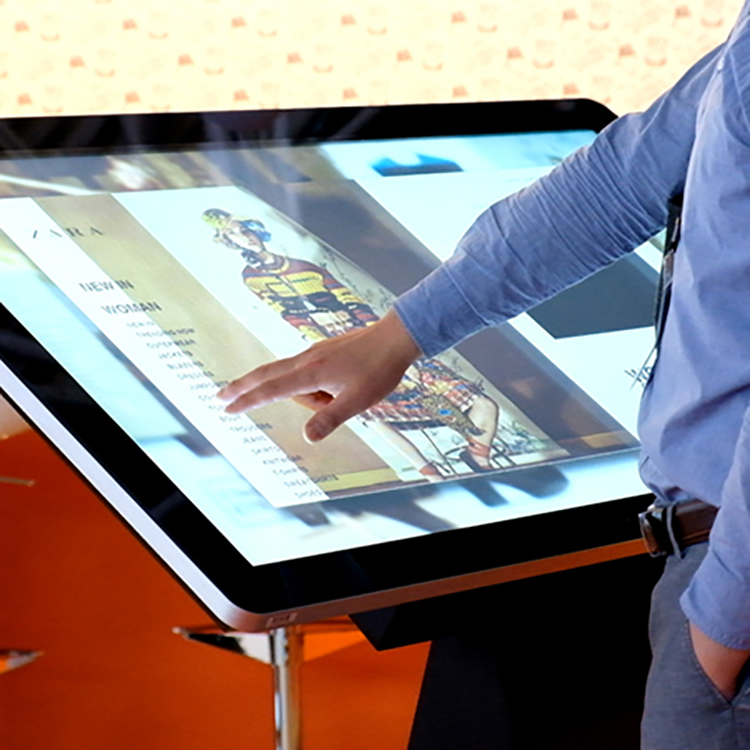
An interactive touch screen gives visitors a more engaging way to explore information than a conventional static display. Users can tap, scroll, select and zoom directly on the screen using familiar touch gestures without the need for a keyboard or mouse.
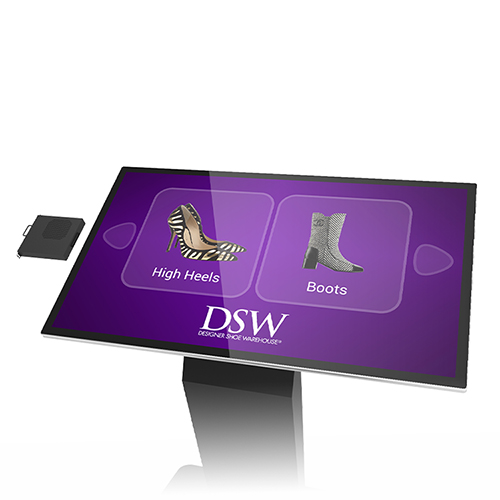
The 43 inch PCAP touch screen is mounted on a stable kiosk-style floor stand at a comfortable height and viewing angle for interaction. Its compact footprint makes it particularly suitable for exhibition stands and temporary event spaces where floor space may be limited.
The display is designed for indoor use and is well suited to exhibition halls, conference venues, reception areas, meeting rooms, product launches and corporate events.
Built-In Windows 11 Professional PC
The touch screen is supplied with a professional-grade slot-in OPS PC installed neatly within the screen enclosure. This creates a self-contained system without the need for a separate laptop or trailing connections between the computer and display.
Windows 11 Professional is preinstalled, allowing you to install and run your own compatible Windows-based software and applications.
Wi-Fi, Ethernet and Bluetooth connectivity are available, allowing the kiosk to connect to the internet and compatible external devices.
The screen can be used for websites, presentations, videos, digital product catalogues, visitor registration, enquiry forms, survey software, interactive brochures and many other applications.
Further PC technical information can be found within the Downloads tab.
Set Up And Test Your Content Before Your Event
If you intend to run your own website, software, presentation or online application, we strongly recommend allowing time to set up and test everything thoroughly before your event.
Where possible, we recommend arranging collection or delivery of the touch screen at least a couple of days before your event. This gives you time to install any required applications, configure your content and confirm that everything operates as expected.
You should also test any internet connection, website logins, user accounts, online services, peripherals or third-party applications that you intend to rely on during the event. Venue Wi-Fi and third-party software are outside the control of the display itself, so checking these in advance can help prevent last-minute problems.
This is one of the reasons our standard hire period is one week rather than a single event day. It gives you useful time to familiarise yourself with the kiosk and properly test your intended setup before taking it to your exhibition or venue.
We do not recommend receiving the screen for the first time on the day of an important event and relying on previously untested software or content. If you are unsure about a particular application or setup, please contact us before booking and we will be happy to discuss what you are planning to use.
External Inputs And Connectivity
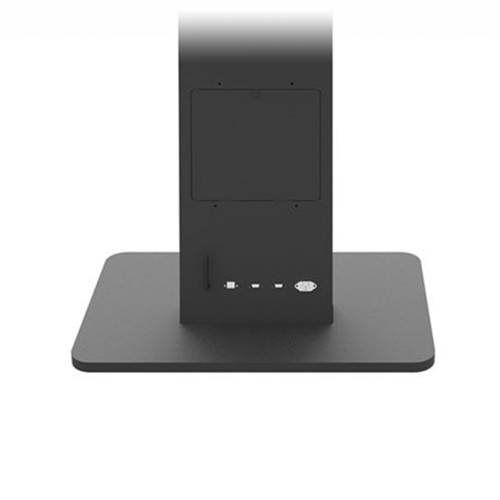
Convenient access to external inputs and power is provided at the base of the kiosk.
If you need to use an alternative device rather than the supplied Windows PC, a compatible external computer or media player can also be connected to the display.
For example, a compact Android-based PC can be housed within the storage locker at the rear of the unit and connected using the screen's HDMI input.
This flexibility makes the kiosk suitable for specialist event applications where external media players, dedicated software or alternative operating systems may be required.
Popular Uses For Interactive Touch Screen Hire
- Exhibition stand visitor engagement
- Interactive product catalogues
- Lead capture and enquiry forms
- Visitor registration and check-in
- Product and software demonstrations
- Conference information points
- Interactive presentations
- Reception and welcome displays
- Surveys, quizzes and competitions
- Website and online application demonstrations
Why Hire A Touch Screen For Your Event?
Hiring an interactive touch screen is a practical way to introduce digital engagement to an exhibition stand, conference or temporary event without committing to the cost of purchasing equipment that may only be required occasionally.
Visitors can explore products, complete forms, browse websites, view presentations or interact with digital content at their own pace. This can be especially useful on busy exhibition stands where several visitors may want access to information without waiting for a member of staff.
Because the Windows PC is integrated into the display, the kiosk is self-contained and can be positioned within your event space without requiring a separate computer or additional desk space.
Wheeled Flight Case For Transport
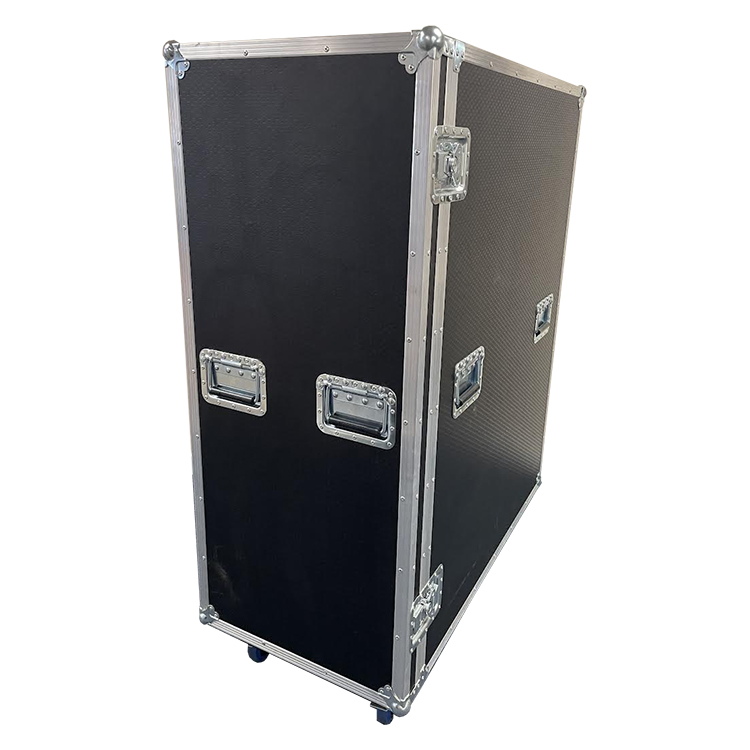
Each touch screen kiosk is supplied in a bespoke wheeled flight case to help protect the equipment during transport and storage.
| Flight case width |
1125mm |
| Flight case depth |
565mm |
| Flight case height |
1485mm |
Customers collecting the kiosk should make sure that the vehicle being used has sufficient space for the flight case before travelling to collect it.
Collection, Delivery And Installation
The published hire price assumes collection from and return to our premises in Stone, Staffordshire, ST15 0SR.
Delivery and subsequent collection can also be arranged using a dedicated vehicle. Due to the size and weight of the kiosk and flight case, the product cannot be sent using a standard parcel courier.
We can arrange either single-person delivery or a two-person delivery and installation service, depending on your venue and requirements.
Delivery Options
Single-person delivery: assistance will be required on site to unload the kiosk in its wheeled flight case. The unit will be left in the flight case for you to unpack and position.
Two-person delivery and installation: our team can unload the kiosk, remove it from the flight case and position the screen ready for use. If required, we can also take the empty flight case away and return with it when the hire period ends.
Venue Access
If the touch screen is being delivered directly to an exhibition hall, conference venue, hotel, shopping centre or other event location, please check access before booking.
Stairs, narrow corridors, small lifts, escalators, tight corners, loading restrictions and limited parking can all affect delivery and installation.
Please provide details of any access restrictions when requesting your delivery quotation so that we can plan the job correctly.
How Much Does Touch Screen Hire Cost?
Our 43 inch interactive touch screen kiosk is available to hire from £499 + VAT for a standard one-week hire period.
The one-week hire period also allows useful time around your event to set up, test and familiarise yourself with the display rather than relying on an untested configuration on the day.
Longer hire periods can usually be arranged. If you require the screen for more than one week, please contact us with your event dates and we can prepare a quotation based on your requirements.
Delivery, collection and installation are not included in the standard collection price and are quoted separately according to the location, dates and level of service required.
What's Included With Hire?
- 43 inch interactive PCAP touch screen
- Built-in Windows 11 Professional PC
- Freestanding kiosk-style floor stand
- Power connections
- Wi-Fi, Ethernet and Bluetooth connectivity
- HDMI connectivity
- Wheeled protective flight case
- Optional UK delivery and installation
Frequently Asked Questions
Can I run my own software on the touch screen?
Yes. The touch screen is supplied with a built-in Windows 11 Professional PC, allowing you to install and run your own compatible Windows-based software and applications.
Can the touch screen display a website?
Yes. Websites and online applications can be displayed using the built-in Windows PC. The kiosk has both Wi-Fi and Ethernet connectivity, although internet access will need to be available at your venue.
Should I test my software or content before my event?
Yes. We strongly recommend setting up and testing your intended software, website, content and internet connection before your event. Where possible, arrange collection or delivery at least a couple of days beforehand so you have time to confirm that everything works as expected. We do not recommend relying on an untested setup for the first time on the day of an important event.
What can an interactive touch screen be used for at an exhibition?
Popular applications include interactive product catalogues, visitor registration, lead capture forms, product demonstrations, surveys, presentations, websites, videos and interactive information points. You can also install your own compatible Windows applications.
Can I collect the touch screen myself?
Yes. Collection can be arranged from our premises in Stone, Staffordshire, ST15 0SR. The kiosk is supplied in a large wheeled flight case measuring approximately 1125mm wide x 565mm deep x 1485mm high, so please make sure your vehicle has sufficient space before collection.
Is delivery and collection available?
Yes. Delivery and collection can be arranged using a dedicated vehicle. The kiosk cannot be sent using a standard parcel courier because of its size and weight. Please contact us with your event location and dates so that we can provide a quotation.
Do you offer delivery and installation?
Yes. We can arrange either single-person delivery or two-person delivery and installation.
With single-person delivery, assistance will be required on site to unload the touch screen in its wheeled flight case. The unit will be left in the flight case for you to unpack.
With two-person delivery and installation, our team can unload the kiosk, unpack it and position the screen ready for use. If required, we can also take the flight case away and return it when the hire period ends.
Can I hire the touch screen for longer than one week?
Yes. The published hire price is based on a one-week hire period, but longer hire periods can usually be arranged. Please contact us with your required dates and we can discuss the options available.
How much does it cost to hire the touch screen?
The standard one-week hire price is £499 + VAT when the kiosk is collected from and returned to our premises. Delivery, collection and installation are available at additional cost.
What information do you need to quote for delivery and collection?
Please provide the delivery address, collection address if different, required delivery and collection dates, venue access information and whether you require single-person delivery or two-person delivery and installation.