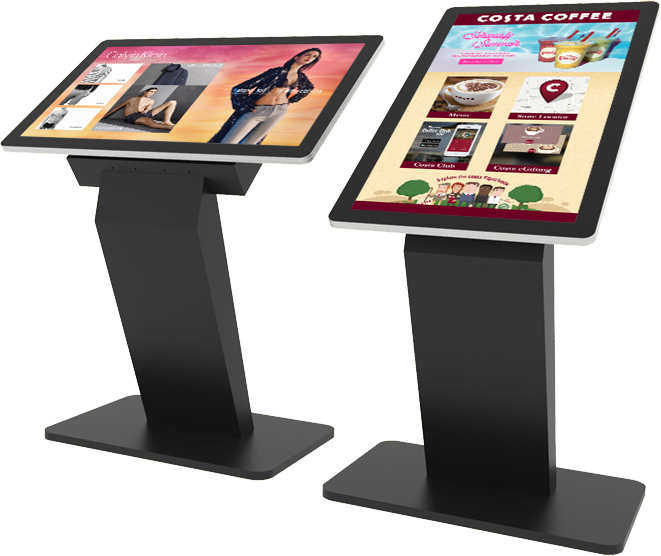
PCAP Touch Screen Kiosk – Android or Windows
Our PCAP Touch Screen Kiosk combines a responsive commercial-grade interactive display
with a stylish and secure floor-standing enclosure to create a complete touch screen
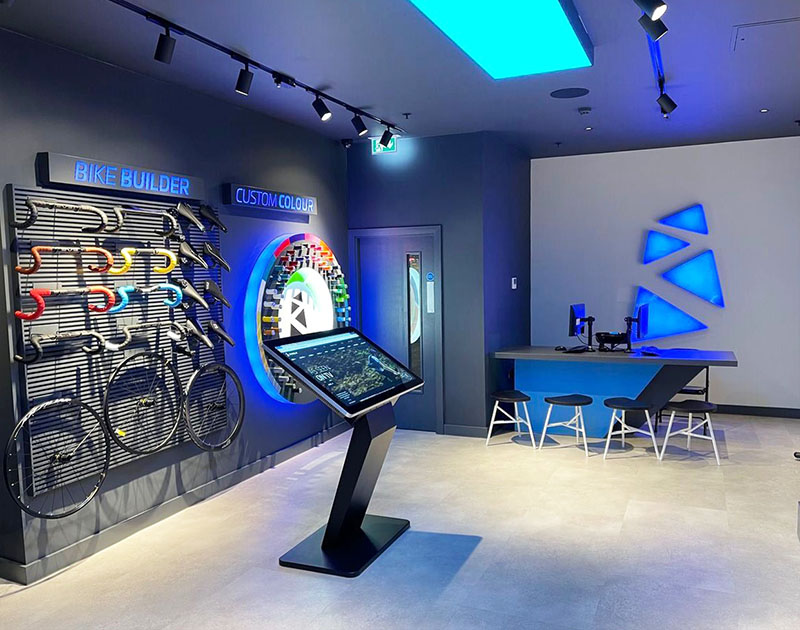
solution for retail, exhibitions, showrooms, visitor attractions, education, corporate
environments and public spaces.
Available in 43", 50" and 55" screen sizes, the kiosk can be configured with either
integrated Android hardware or an internal Windows OPS PC. Simply choose the screen size,
operating system and computer specification that best suits your application using the
product options above.
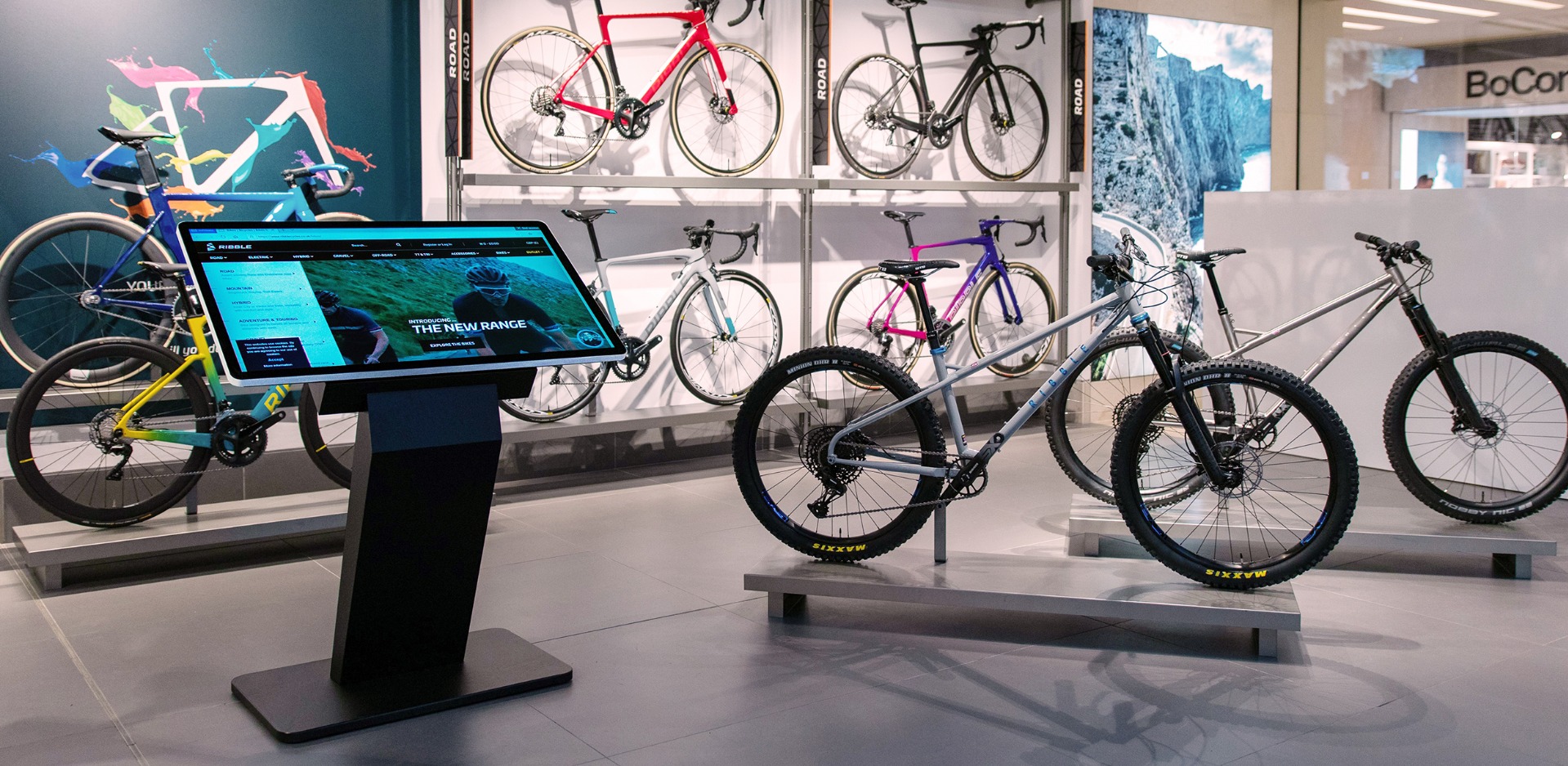
Applications include interactive product catalogues, directories, wayfinding,
visitor information, presentations, self-service applications, websites,
digital signage and a wide range of other interactive content.
Need a touch screen for a temporary event or project?
Our
PCAP Touch Screen Kiosk is also available for hire
.
Choose the Right Touch Screen Kiosk for Your Application
The kiosk is available as either an Android or Windows system. Both versions use the
same contemporary floor-standing concept, but the internal hardware and display
specification differ depending on the operating system selected.
Android Touch Screen Kiosk
Android models have their computing hardware integrated directly into the display,
so no separate computer is required. This creates a neat, self-contained interactive
kiosk that is ideal for digital signage, product catalogues, directories, visitor
information, web-based content and many other commercial applications.
The Android kiosk can be used as a standalone interactive display without any
subscription or network activation.
If remote content management is required, the Android version can optionally be
network activated for use with our Touch CMS platform.
Windows Touch Screen Kiosk
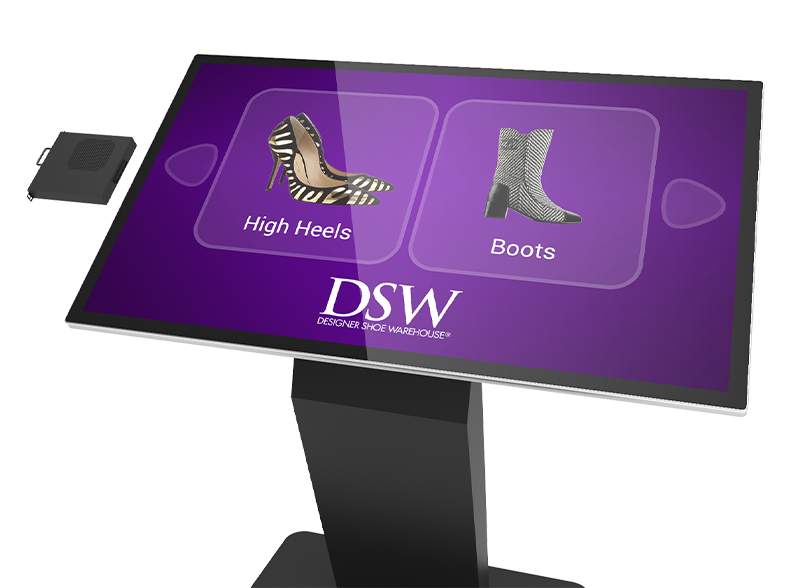
Windows models use a commercial PCAP touch display with an integrated OPS PC slot.
The computer slides directly into the rear of the screen, creating a completely
self-contained Windows touch kiosk without an externally mounted computer or
separate video cables.
Choose our
Economical OPS PC
for everyday applications such as web browsing, presentations and digital catalogues,
or our
Professional OPS PC
for more demanding Windows software and interactive applications.
Windows configurations are supplied with Windows 11 Pro.
43", 50" and 55" Screen Sizes
Choose from 43", 50" and 55" displays depending on the available space,
viewing distance and type of interactive experience you want to create.
The 43" and 50" versions can be configured in landscape or portrait orientation,
allowing the kiosk to be adapted to different content layouts. The 55" version
is designed for landscape installation.
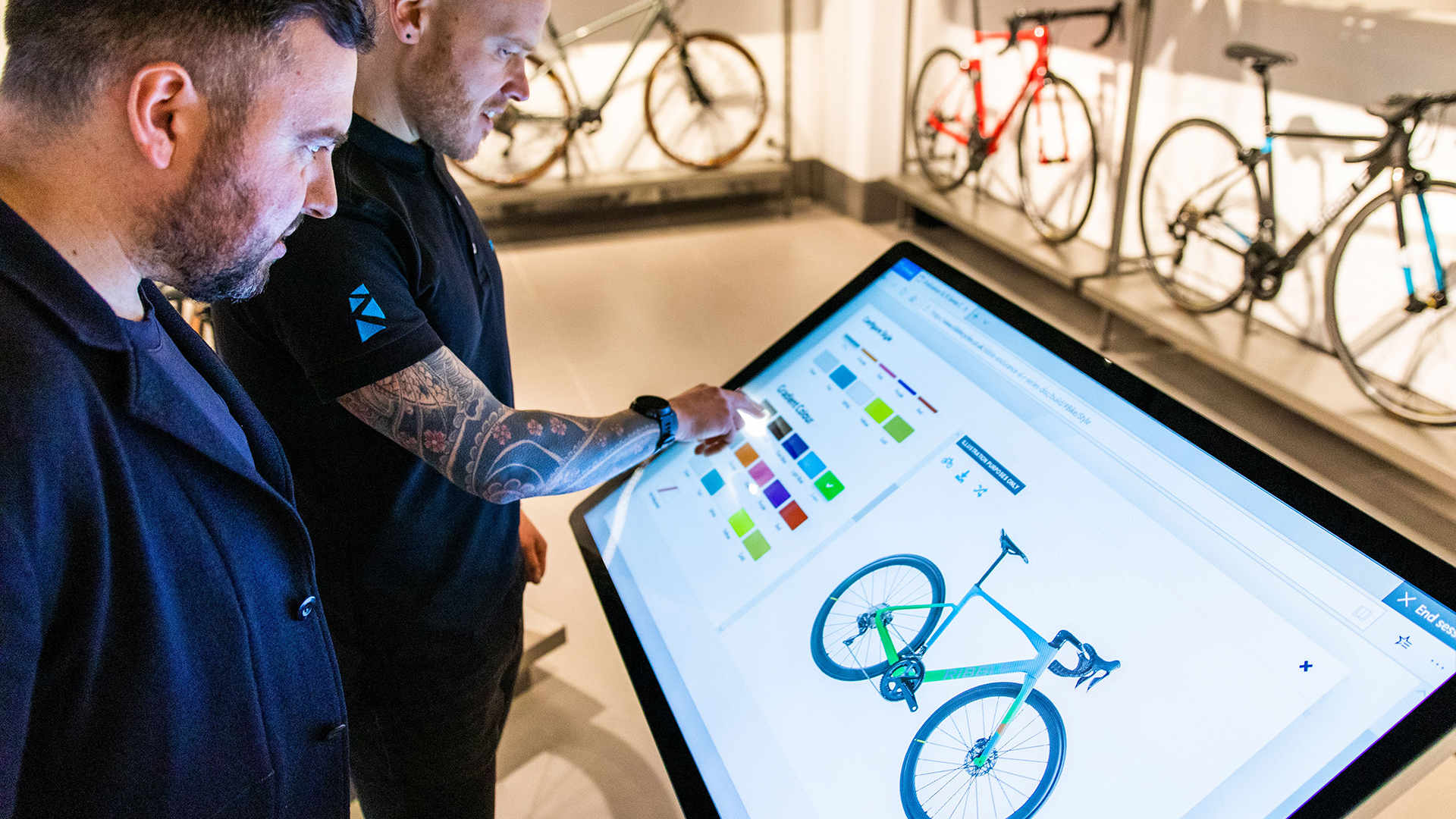
The angled support positions the screen at a comfortable height and viewing
angle for users interacting with the display while standing.
Edge-to-edge glass, rounded corners and the large-format screen give the kiosk
the appearance of an oversized tablet, creating a clean and contemporary
presentation in commercial environments.
Responsive 10-Point PCAP Multi-Touch
Projected Capacitive (PCAP) technology provides a highly responsive touch experience
through a smooth edge-to-edge glass surface. Up to 10 simultaneous touch points allow
users to interact naturally with content using familiar smartphone and tablet-style
gestures including swiping, dragging and pinch-to-zoom.
Multi-touch functionality also allows more than one user to interact with the display
at the same time, making the kiosk suitable for engaging public-facing and collaborative
applications.
The tempered glass front is designed for use in busy commercial environments and has
a minimum 7H hardness rating.
Designed for Commercial 24/7 Use
Unlike domestic tablets and consumer displays, these kiosks use commercial-grade
screens and components designed for continuous 24/7 operation in public and
commercial environments.
Commercial IPS panel technology provides consistent image quality and colour
reproduction across a wide 178° viewing angle, helping content remain clear
even when viewed from the side.
The screen is protected by an edge-to-edge tempered glass face and the kiosk
incorporates integrated speakers for applications where an audio element is required.
Anti-Fingerprint Plasma Treatment
The front glass features an oleophobic plasma-treated surface which helps resist
oils and moisture, reducing the residue left by fingerprints. The treatment also
reduces surface friction to help touch gestures feel smoother without using an
etched finish that could reduce optical clarity.
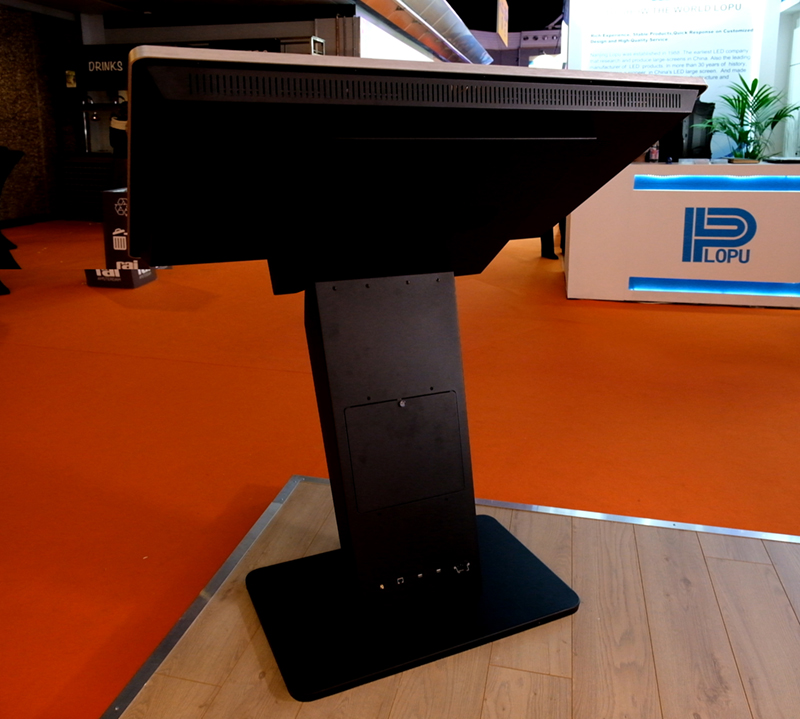
Secure Internal Locker
A discreet internal compartment is built into the rear of the kiosk enclosure,
providing protected space for additional hardware where required.
This can be particularly useful if you wish to use your own compatible PC,
media player or other third-party equipment while keeping the installation
tidy and secure.
Convenient Rear Connectivity
Rear-facing connections provide convenient access for devices, networking and
power once the kiosk has been positioned.
The kiosk can therefore be used with its integrated Android or Windows hardware,
or with suitable third-party equipment installed inside the internal locker.
Optional Touch CMS for Android Kiosks
Android versions can optionally be network activated for use with our
Touch CMS Touch Screen Content Management System
.
Touch CMS is a browser-based platform that allows interactive content to be created,
managed and published remotely without requiring coding knowledge. Once connected
to the internet using Wi-Fi or Ethernet, content can be updated without needing
to visit the kiosk itself.
Touch CMS is completely optional.
An Android kiosk does not require a Touch CMS subscription in order to operate.
Network activation and a subscription are only required if you wish to use the
Touch CMS cloud-based content management platform.
Touch CMS is available for Android configurations only, with 1 Year, 3 Year and
Lifetime subscription options available above.
Technical Specifications
Android and Windows versions use different underlying display hardware, so there
are some differences in specification between the two configurations.
| Specification |
Android Models |
Windows Models |
| Screen sizes |
43", 50", 55" |
43", 50", 55" |
| Resolution |
1920 × 1080 Full HD |
3840 × 2160 4K UHD |
| Brightness |
450cd/m² |
500cd/m² |
| Aspect ratio |
16:9 |
16:9 |
| Viewing angle |
178° |
178° |
| Touch technology |
Projected Capacitive (PCAP) |
Projected Capacitive (PCAP) |
| Touch points |
10 |
10 |
| Glass hardness |
7H minimum |
7H minimum |
| Operating system |
Integrated Android |
Windows 11 Pro |
| Computer |
Integrated hardware |
Internal OPS slot-in PC |
| Commercial operation |
Designed for 24/7 use |
Designed for 24/7 use |
| Warranty |
3 years |
3 years |
Approximate Overall Dimensions
Overall dimensions vary slightly between Android and Windows configurations because
different display hardware is used. Dimensions below relate to the standard landscape
configuration and are shown as width × height × depth.
| Screen Size |
Android Kiosk |
Windows Kiosk |
Base Footprint |
| 43" |
997.6 × 1248.3 × 442.1mm |
990.2 × 1327.2 × 436.9mm |
800 × 500mm |
| 50" |
1135.2 × 1344.8 × 502.2mm |
1144.8 × 1355.9 × 502.2mm |
800 × 500mm |
| 55" |
1275 × 1326.3 × 562.9mm |
1262.6 × 1390.2 × 553.9mm |
800 × 500mm |
Windows OPS PC Options
| Option |
Recommended Use |
Operating System |
|
Economical OPS PC
|
Web browsing, presentations, product catalogues, directories and general interactive applications
|
Windows 11 Pro |
|
Professional OPS PC
|
More demanding software, heavier multimedia content and applications requiring greater processing performance
|
Windows 11 Pro |
PCAP Touch Screen Kiosk FAQs
What is the difference between the Android and Windows touch screen kiosks?
Android models contain integrated Android computing hardware within the display.
Windows models use a separate OPS computer that slots directly into the rear of the
screen. Both options create a neat, self-contained interactive kiosk, but the Windows
version is designed for customers who need to run Windows-based software or applications.
What screen sizes are available?
The kiosk is available with 43", 50" and 55" PCAP touch screens. All three sizes
are available as either Android or Windows configurations.
What is the difference between the Economical and Professional Windows PCs?
The Economical OPS PC is suitable for everyday applications such as websites,
presentations, interactive catalogues and general business software. The Professional
OPS PC provides additional processing performance for customers running more demanding
applications or heavier interactive content.
Is Windows included with the Windows kiosk?
Yes. Windows kiosk configurations purchased from us are supplied with a Windows 11 Pro licence.
Do I need Touch CMS to use the Android kiosk?
No. Touch CMS is completely optional. The Android kiosk can be used independently
without a Touch CMS subscription or network activation.
What is Touch CMS network activation?
Network activation enables a compatible Android kiosk to connect to the Touch CMS
cloud-based content management platform. If you want to manage and publish interactive
content remotely using Touch CMS, select network activation together with the required
subscription when ordering.
Can the kiosk connect to Wi-Fi and Ethernet?
Yes. Network connectivity is available for suitable applications, allowing the kiosk
to connect to local networks and the internet using Wi-Fi or Ethernet.
Can I connect my own computer or media player?
Yes. The kiosk includes an internal locker that can accommodate suitable third-party
equipment. The screen can also be used as a touch monitor with compatible external
hardware.
Can the kiosk be used in portrait or landscape orientation?
The 43" and 50" versions can be configured in either portrait or landscape orientation.
The 55" version is designed for landscape installation.
What does 10-point PCAP touch mean?
PCAP stands for Projected Capacitive touch technology. The screen can recognise up to
10 simultaneous points of contact, allowing familiar gestures such as swiping,
dragging and pinch-to-zoom as well as interaction by multiple users.
Is the kiosk suitable for continuous commercial use?
Yes. The screens and components are commercially graded and designed for continuous
24/7 operation, making the kiosk suitable for retail, exhibitions, visitor attractions,
showrooms, reception areas and other public-facing applications.
Can I use the kiosk for a website or online catalogue?
Yes. Both Android and Windows configurations can be used for web-based interactive
applications. For standard website browsing on a Windows kiosk, the Economical OPS PC
will normally provide more than sufficient performance.
3 Year Manufacturer's Warranty
The PCAP Touch Screen Kiosk is supplied with a 3-year manufacturer's warranty,
providing reassurance for long-term commercial installations.
Lifetime Technical Support
Free lifetime technical support is available for the kiosk, with assistance
available by telephone and email should you need help setting up or using
your display.